
Opening live practice…

Keep your live practice on your Lock Screen

Allow CoachZippi notifications to see the active drill and remaining time, then tap the notification to return to the live practice.

Enable microphone

Allow microphone access to dictate into CoachZippi.

PLAN. PRACTICE. EXECUTE.

Your Vision.
Ready in Seconds.

CoachZippi turns your coaching ideas into structured season plans, organized drill libraries, intelligent practices, and synchronized on-ice execution.
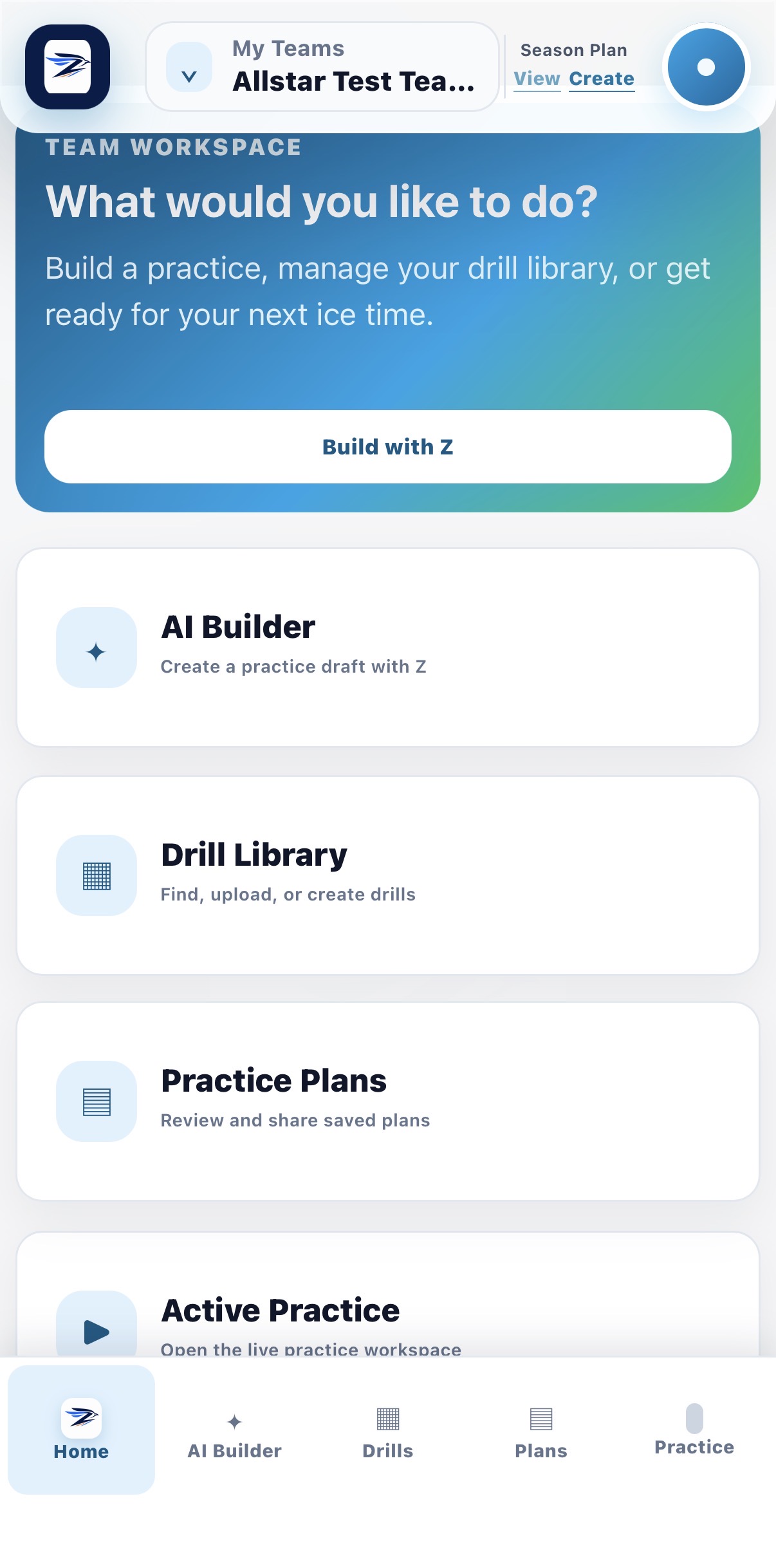
CoachZippi team workspaceYour entire coaching workspace.One clear place to plan, organize, and run your season.
✦

AI planning that understands your team

Create season plans and practices aligned to your age group, level, development goals, previous sessions, and game improvement areas.

▦

Your drills, organized in minutes

Upload, email, draw, categorize, search, and reuse your coaching content across every team you coach.

▶

Keep every coach in sync

Launch a practice so staff see the active drill, follow the same timer, receive transition alerts, and call an AI-powered audible from the ice.

◇

Built for coaches and organizations

Give individual coaches better tools—or connect programs, teams, content, development standards, and evaluations across an organization.

CoachZippi overview

What can CoachZippi do for you?

Choose the experience you would like to see.

ACCOUNT RECOVERY

Reset your password

We will email a secure reset link if the address belongs to an account.

ACCOUNT SECURITY

Set a new password

Use at least 12 characters with an uppercase letter, lowercase letter, number, and symbol. After saving, use the new password for your next login.

Organization template

Season Plan

This organization template is read-only. Saving creates a separate editable copy for the selected team.
Team roadmap

Season Plan

No plan

Complete the sections that apply to your team. Recommendations use the age group and level entered below; you can change every suggestion.

1. Team and season
2. Team direction and development goals
3. Player evaluations and checkpoints

Choose which evaluations should prompt you and when.

4. Development phases and skill progression

Choose skills for each phase. Introduce fundamentals first, then add complexity and game pressure as players are ready.

Plan draft — review and edit
Optional sample plan

Upload a PDF or text plan to guide Z’s structure, tone, or level of detail.

Improve with Z

Ask for changes before accepting the plan. Z will preserve the useful parts and return a revised version.

Distribution copy

Season Plan

Download PDF

Create a team

Rotate your device

The diagram editor works best in landscape mode. Turn your phone or tablet sideways to begin drawing.

Coach diagram editor

Draw a drill

Use a mouse, stylus, or finger. The selected tool stays active until you choose another.

Selected: Skate

Tip: movement tools are drawn by dragging. When you release, CoachZippi automatically straightens intended lines and smooths intentional curves. Players and objects are placed by tapping or clicking.

CoachZippi licensing

Plans and access

Loading licensing details…

CoachZippi Help

Help Centre

Guidance for coaches, organization administrators, and CoachZippi administrators.

Getting started

Getting started with CoachZippi

Watch the coach walkthrough for drill libraries, AI planning, and live practices.

  1. Complete your account and security settings.
  2. Create or select a team.
  3. Add drills through Create Drills or Upload Drills.
  4. Build a practice plan manually or with Z.
  5. Review the plan, then launch it when your licence permits.

How-to guide

Drills and diagrams

Use My Drills for personal content. Upload a drill or practice document and review the extracted drills, skills, diagram crop, duplicate warning, and confidence indicator before using it in a plan.

Practice plans

Select drills, add them to a plan, complete the plan header, and save. Open the three-dot menu to view, modify, share, launch, or delete when your licence allows it.

Live Practice Assistant

Launch a plan, then use the compact previous, start, pause, stop, and next controls. Stop resets the current drill timer; End Practice completes the live session for all coaches. Keep notifications enabled for lock-screen updates. Assistant coaches receive synchronized updates while the practice remains active.

Organization administration

Configure organization details and hierarchy, assign coaches, manage active seasons, set content visibility, and maintain organization content from the dedicated organization workspace.

CoachZippi administration

Use the administrator console to review platform metrics, users, licences, courtesy access, organizations, and audit information.

Frequently asked questions

Why is a feature locked?

Your personal, trial, courtesy, or organization entitlement does not include it for the current team. Open Licensing to see the required tier.

Why is an uploaded drill locked?

Free accounts retain every personal drill, but only the first six are accessible. Upgrading restores access without deleting your content.

Why can’t I see organization content?

Confirm that you are licensed for the organization’s active season, have selected an organization team, and that the organization administrator made the content visible.

What should I include in a support request?

Include your account email, role, team or organization, device and browser, the steps taken, expected result, actual result, screenshot, and the build version shown in About.

Support

For support, email support@coachzippi.com. Do not include passwords, payment-card details, authentication codes, or private player information.

Support checklist

  • Copy the current build version from About.
  • Describe the smallest repeatable set of steps.
  • State whether the issue occurs on mobile, desktop, browser, or installed PWA.
  • Attach a screenshot with sensitive information removed.

About CoachZippi

CoachZippi helps coaches plan, organize, share, and run practices across teams and sports.

Current build
Loading…
Environment
Web application
Coach walkthrough

Getting started with CoachZippi

Player evaluations are due